POV for Kodi, redesigned.
A streaming-style home screen with big backdrops and poster rows, IMDb and Rotten Tomatoes scores on every movie and series, and a lighter, faster POV underneath.
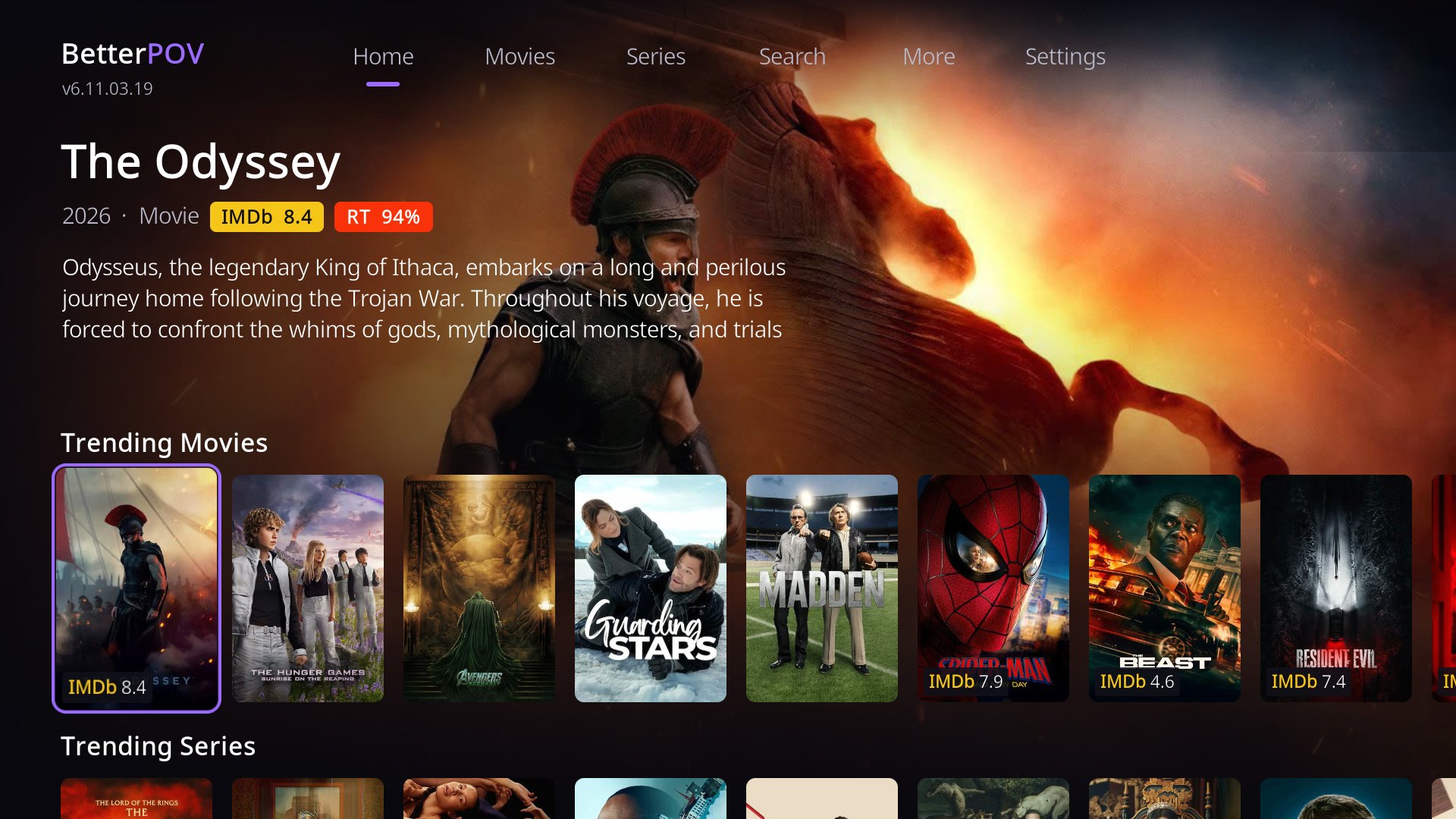
Screenshots
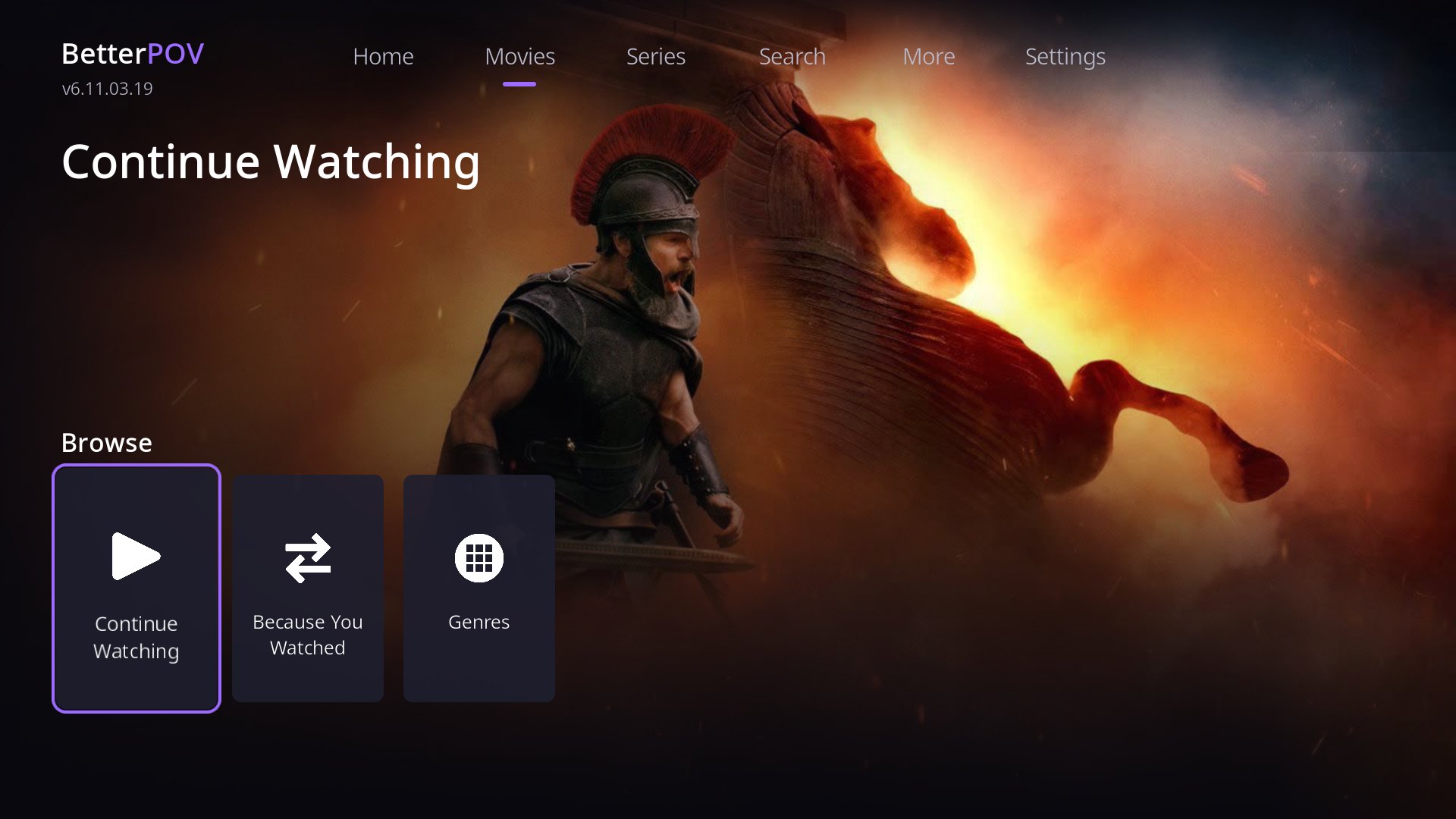
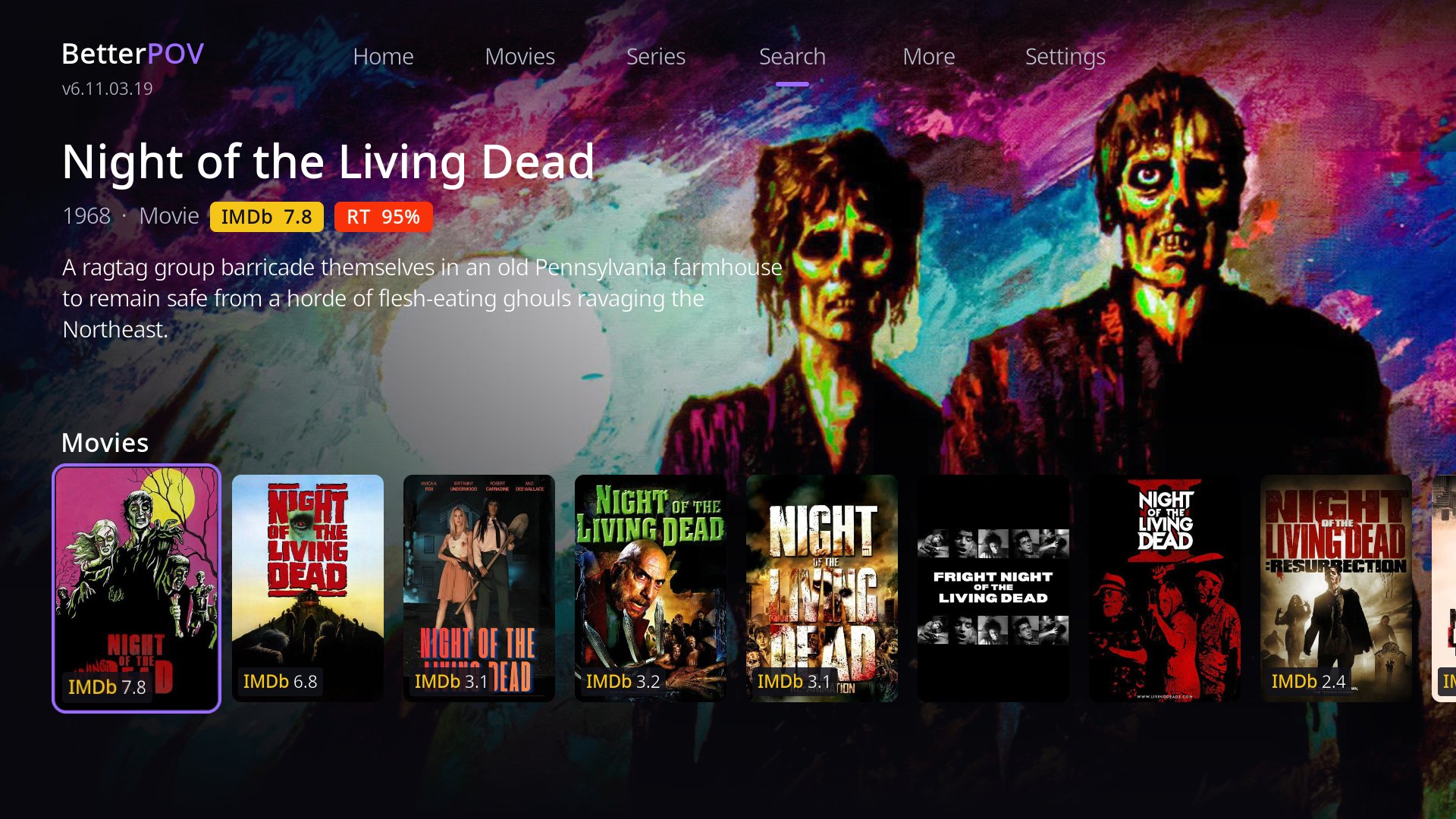
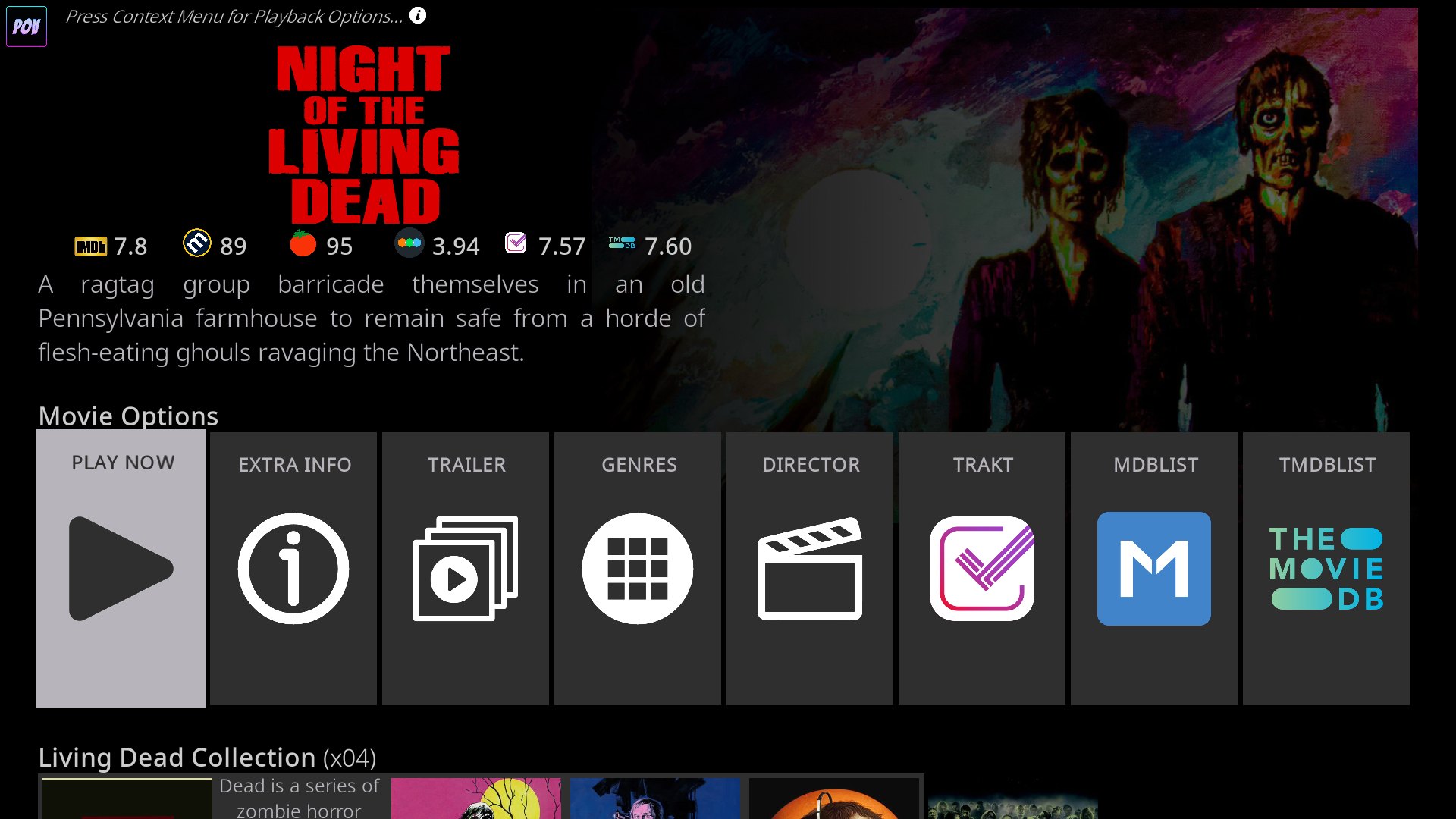
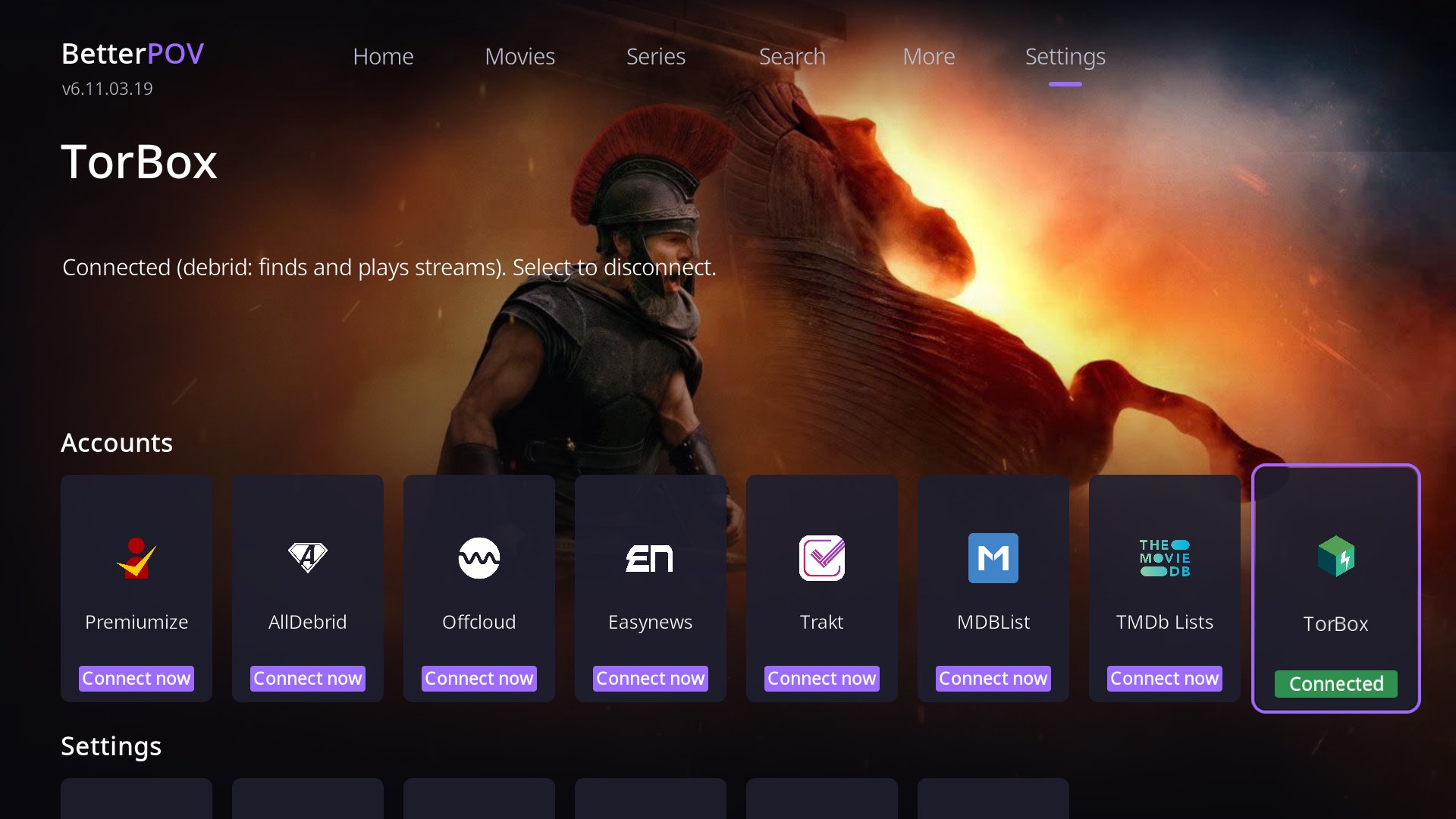
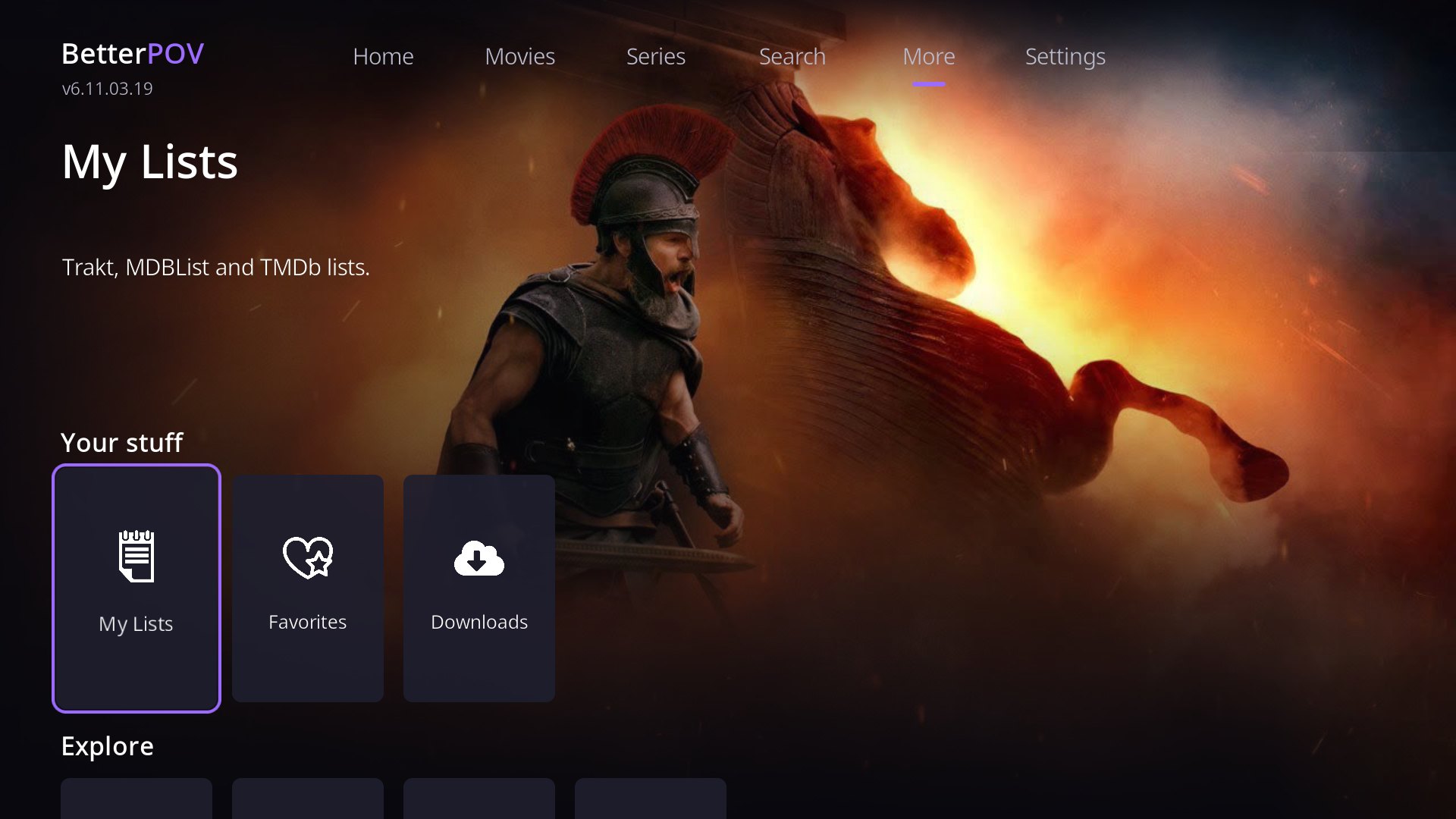
BetterPOV 6.11.03.21 on a Google TV stick running Kodi 21 with the default Estuary skin.
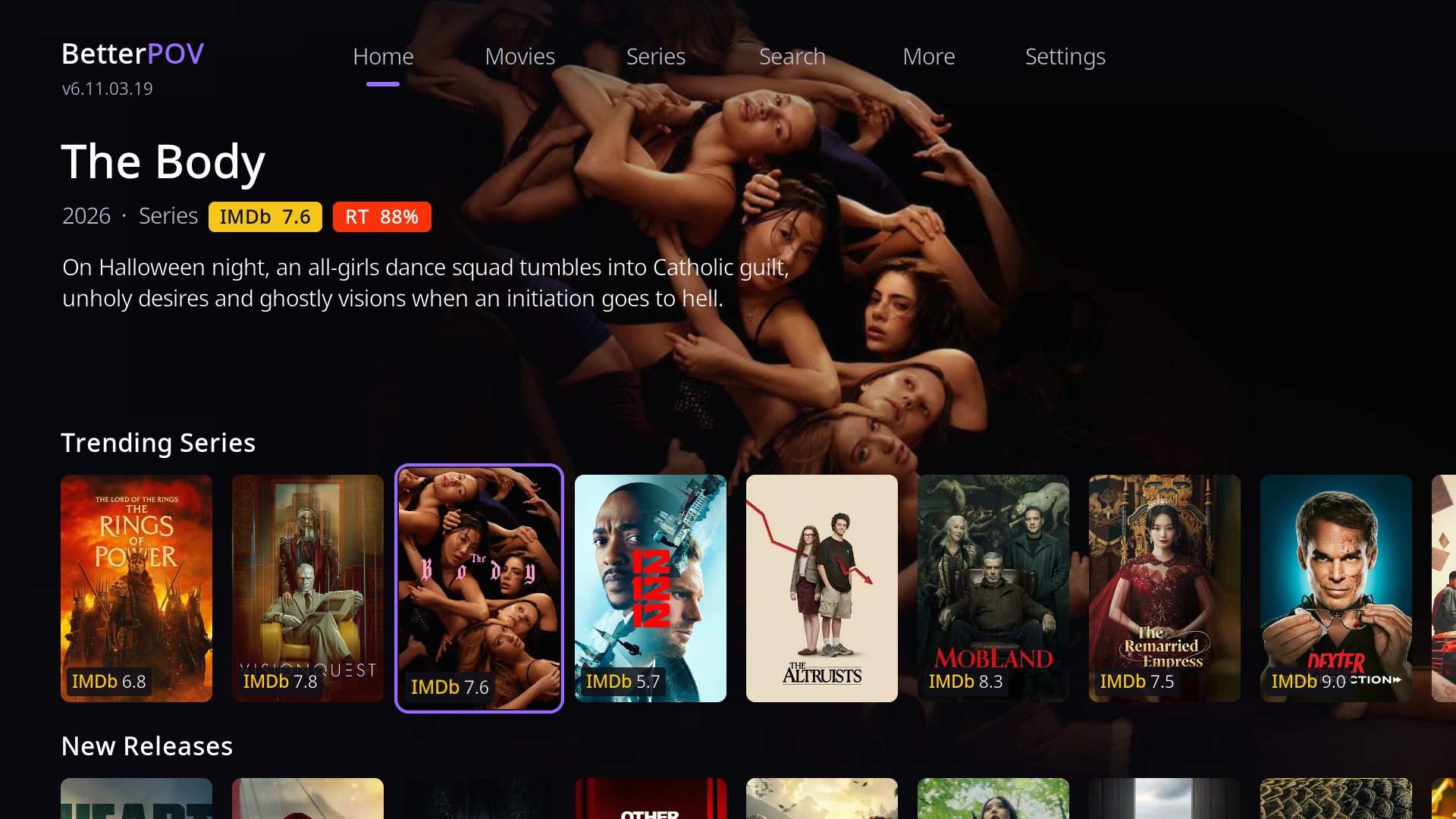
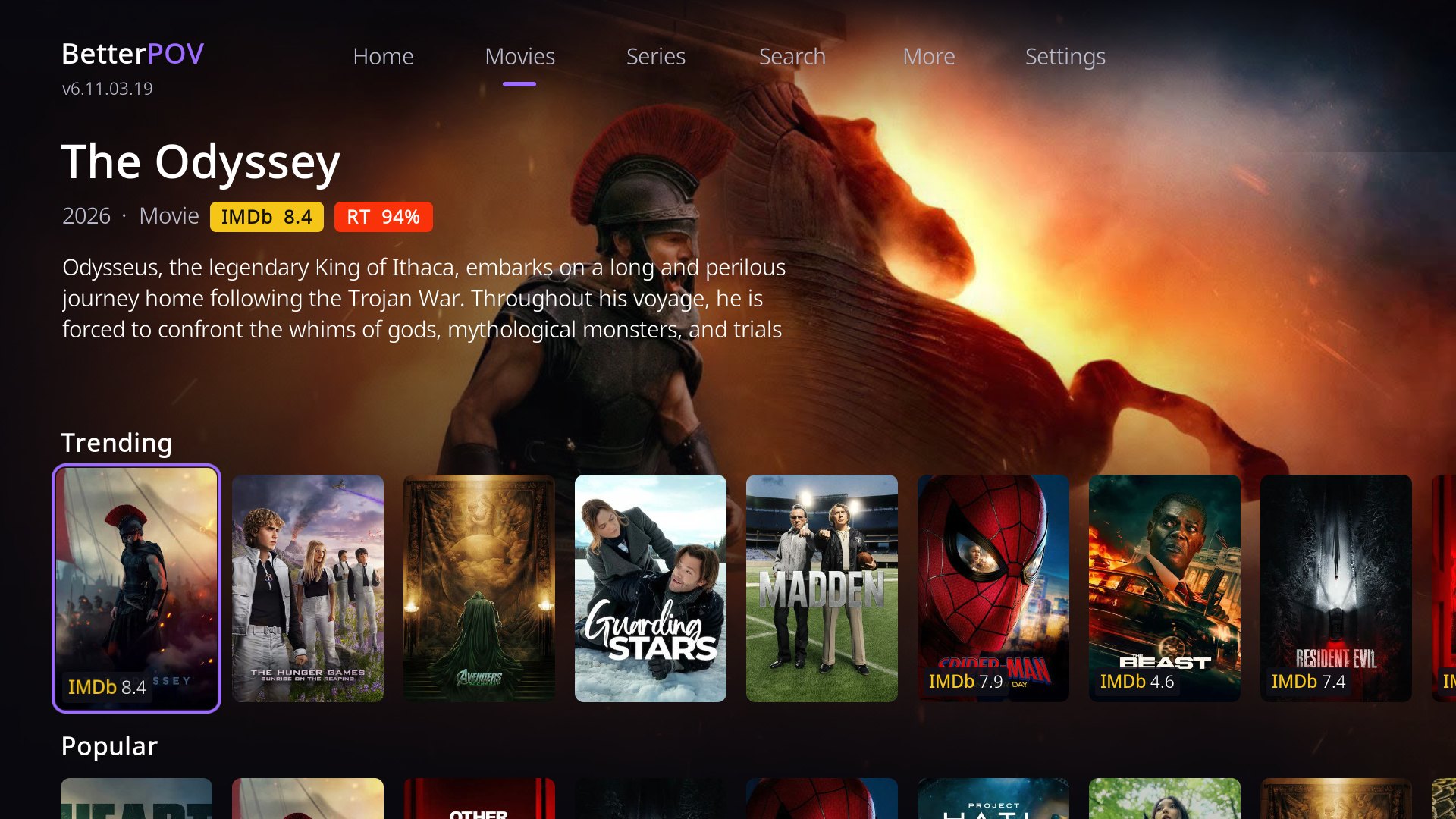
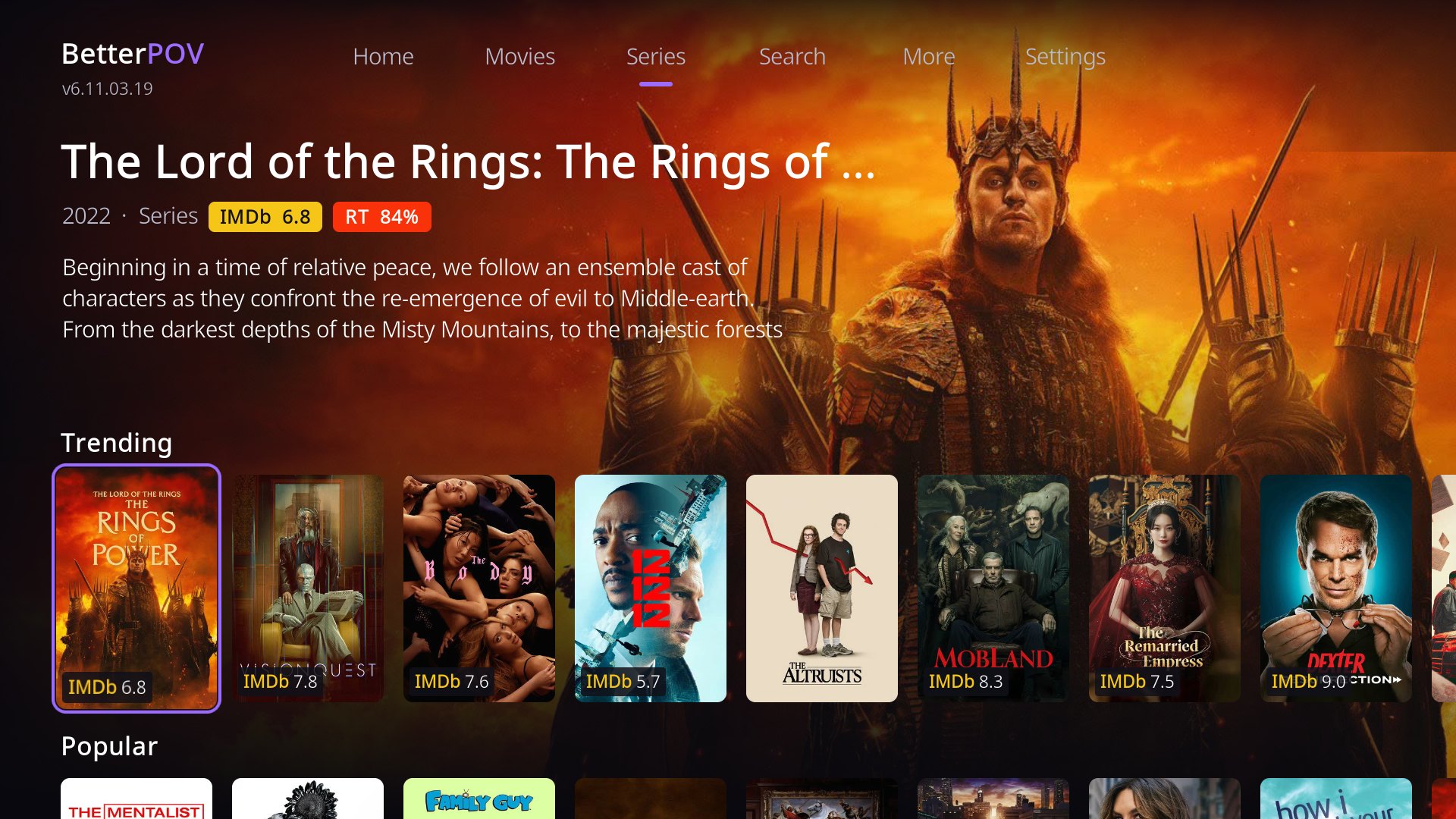
What's changed
BetterPOV is POV 6.11.03 with a new front end and performance fixes. Sources, debrid and playback are POV's.
New in BetterPOV
- Home screen with backdrops, poster rows and a top bar: Home, Movies, Series, Search, More, Settings.
- IMDb and Rotten Tomatoes scores on posters, in the info area and in every list, no account needed.
- Accounts at a glance: Settings shows which services are connected, with Connect now.
- Import from POV: copies your debrid account, sources and playback settings.
- Play Now is the first option on a title's details.
- Clearer messages, e.g. what to do when no debrid account is connected.
Faster on TV sticks
- Home opens at once and fills its rows as they load; switching pages is instant.
- Details of the highlighted title are fetched ahead, so they open without waiting.
- Kodi starts lighter: database clean-up runs later, in the background, never during playback.
- Fixed season data that was never refreshed and network retries that never gave up.
- Lighter defaults: fewer threads, smaller pages and images, smaller downloads.
Still POV
- The source scraping engine, debrid services, playback and the sources list (with the fixes under Under the hood).
- Trakt, MDBList and TMDb lists, watched status and progress.
- All of POV's settings and tools.
- Installs next to POV (own add-on id and settings): POV updates never replace it.
Under the hood
Beyond the new look, BetterPOV fixes how POV finds, checks and plays streams. Every change came out of a code review in which each finding was independently checked against the code, then tested on an Android TV stick.
| Measured on a Google TV stick (Kodi 21, TorBox) | Before | Now |
|---|---|---|
| Play Now to the search starting | 2.6 s | 0.1–0.8 s |
| Play Now to the sources list | about 4.4 s | about 3.0 s |
| Searching the same title again | full search | 0.4 s |
| Back while searching | kept going, then played | cancels |
| Network drop while loading a stream | could hang indefinitely | fails in seconds |
Measured with public-domain films; times depend on your network, providers and debrid service.
Finding and playing streams
- Play Now starts sooner: the search runs straight away instead of starting a second copy of the add-on.
- No endless hangs: TorBox, Real-Debrid, Premiumize, AllDebrid, Offcloud and Easynews give up on a dead connection within seconds.
- Back cancels the search: nothing starts playing after you back out.
- Results survive hiccups: if a debrid cache check fails or runs late, results already known to be cached stay, with a clear message instead of "No streams found".
- Newly cached releases show up sooner: "not cached" answers are rechecked after 4 hours instead of 24, and every answer's age is checked.
- Dolby Vision and HDR detected wherever the tag sits in the release name, so "Exclude DV" works.
- TorBox no longer looks up your IP before every play.
Reliability and data
- A failed provider search is remembered for an hour, not hours to weeks (season packs: up to 30 days).
- Season data refreshes again: once expired it was never replaced, so every series went back to TMDb each time.
- Finite network retries everywhere, and a network error no longer hides a title for two days.
- Lighter Kodi start-up: database clean-up runs once per file, later, and never during playback; account sync waits a minute.
- Lighter defaults for TV sticks: fewer threads, smaller pages and images, smaller downloads, an index on watched history.
- Ratings without a shared key in the add-on: fetched through the BetterPOV service and cached, longer for older titles.
- Timing lines in the Kodi log for every search, so slow steps can be spotted.
What's new
Recent BetterPOV releases. Kodi installs updates from the repository automatically.
6.11.03.21
- Play Now from the Home Screen starts the source search about 2.5 s sooner (no second Python start-up on the TV stick).
6.11.03.20
- Playback backend: debrid services (TorBox, Real-Debrid, Premiumize, AllDebrid, Offcloud, Easynews) no longer retry a dead connection forever: a network drop fails in seconds instead of hanging the loading screen.
- Back on the search progress screen now cancels the search (nothing starts playing afterwards).
- A failed provider search is remembered for 1 hour instead of up to 30 days (packs).
- Debrid 'is it cached' answers: every result checked for expiry, 'not cached' kept 4 h instead of 24 h, so newly cached releases show up sooner.
- If a debrid cache check fails or times out, already-known cached results are kept and you get a message, instead of 'No streams found'.
- TorBox: no IP lookup before every play (looked up in the background); clearer error logging.
- Dolby Vision / HDR now detected when the tag is first or last in the release name.
- Same results always credited to the same provider; 'Start from beginning' no longer waits on Trakt; timing lines for each search in the Kodi log.
6.11.03.19
- Fix: Back on the Home Screen leaves BetterPOV again.
6.11.03.18
- Fix: See all and other lists opened from the Home Screen now open reliably.
6.11.03.17
- Back from a list opened from the Home Screen returns to the Home Screen (on the same page).
6.11.03.16
- Lists (See all, Genres, My Lists...) open on top of the Home Screen; Back returns to it where you left it. Fixes See all briefly showing and the Home Screen reopening over it.
6.11.03.15
- Settings page: Accounts row showing every service (TorBox, Real-Debrid, Premiumize, AllDebrid, Offcloud, Easynews, Trakt, MDBList, TMDb Lists) as Connected or Connect now. Select one to connect it (or disconnect); the tile updates when it's done.
6.11.03.14
- Import Settings from POV: if POV is installed and BetterPOV has no debrid account, BetterPOV offers to copy your debrid account, sources and playback settings (also under Settings). Trakt/MDBList logins are not copied: sign in again under My Lists.
- Clearer messages: no debrid account explains what's needed and offers the fix; 'No streams found for this title'; notifications say BetterPOV.
- The Home Screen stays open behind playback, the sources list and title details, so you come back to it instead of the old menu.
- Details: Play Now is the first option (was Playback, after Extra Info).
Install in Kodi
About two minutes with a remote.
https://betterpov.vercel.app/- Settings › System › Add-ons: turn on Unknown sources.
- Settings › File manager › Add source: enter the address above and name it
betterpov. - Add-ons › Install from zip file ›
betterpov› therepository.betterpovzip. - Add-ons › Install from repository › BetterPOV Repository › Video add-ons › BetterPOV.
- Open BetterPOV › Settings: connect a debrid account (Connect now), or Import from POV if you use POV. Without one, BetterPOV can browse but not find streams.
- After an update, restart Kodi once so no old menus linger.
Downloads
You only need the repository; Kodi installs and updates BetterPOV from it.
- repository.betterpov-1.0.0.zip Repository add-on: installs and updates BetterPOV.
- BetterPOV 6.11.03.21 (zip) The add-on itself, including its full Python source (GPL-3.0, like POV).
- Repository index (addons.xml) The repository index Kodi checks for updates.
Credits
POV is developed and maintained by kodifitzwell. BetterPOV would not exist without it: the scrapers, debrid integrations, playback, Trakt/MDBList/TMDb support and almost all of the code are POV's. If you don't need the redesign, use POV itself from kodifitzwell's repository.
POV in turn credits Fen, Venom and Mr-Kodi, whose add-ons it builds on.
Movie and series data and artwork: TMDb. Ratings: MDBList (IMDb, Rotten Tomatoes, Metacritic). This product uses the TMDb API but is not endorsed or certified by TMDb.
BetterPOV is a fan project: the home screen skin, ratings and performance changes. Built with AI assistance and tested on Android TV. Maintained on an as-available basis.